How it works
Two clicks to save any article to your library
1
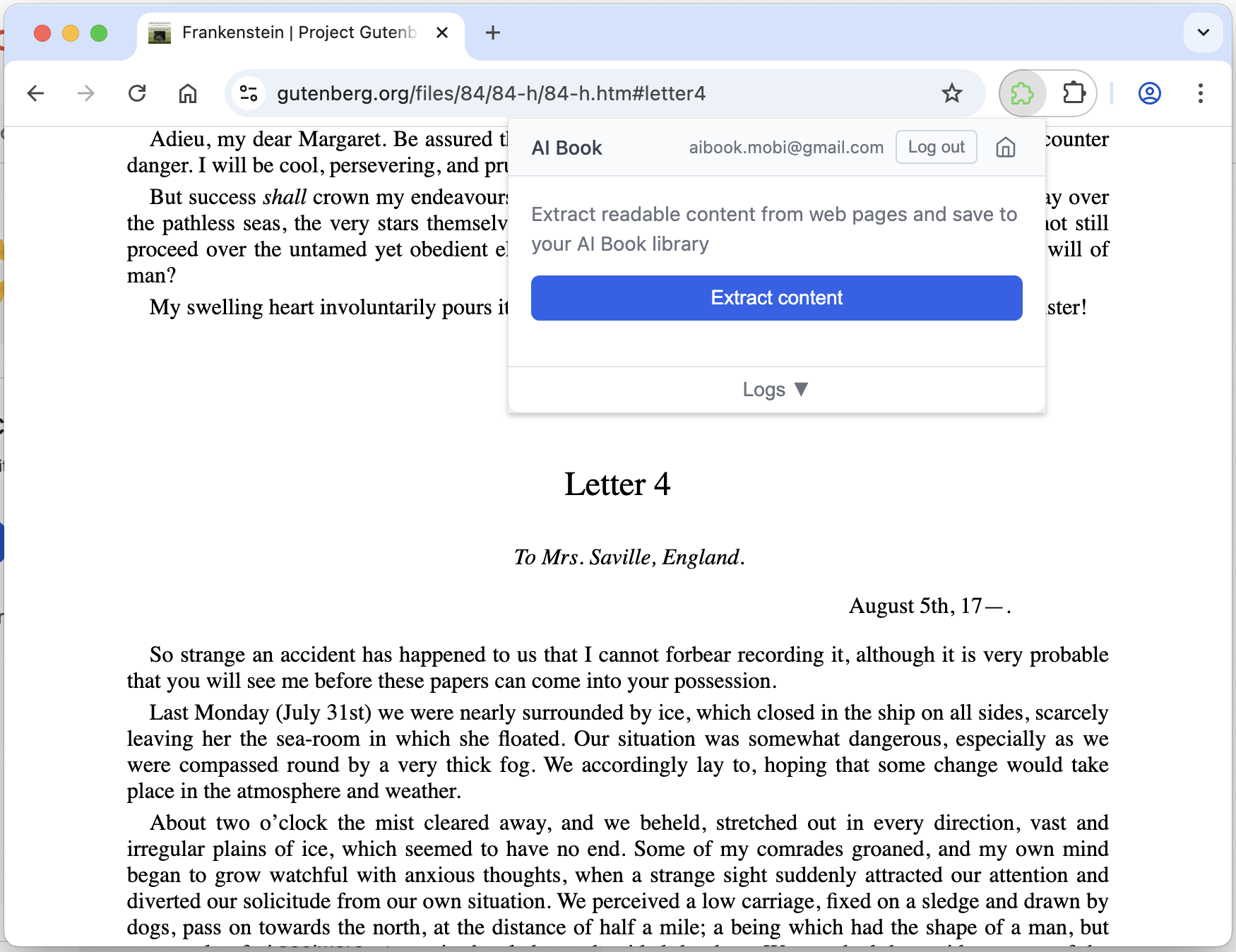
Click Extract content
Open the extension on any webpage and click the Extract button to analyze the page.
2
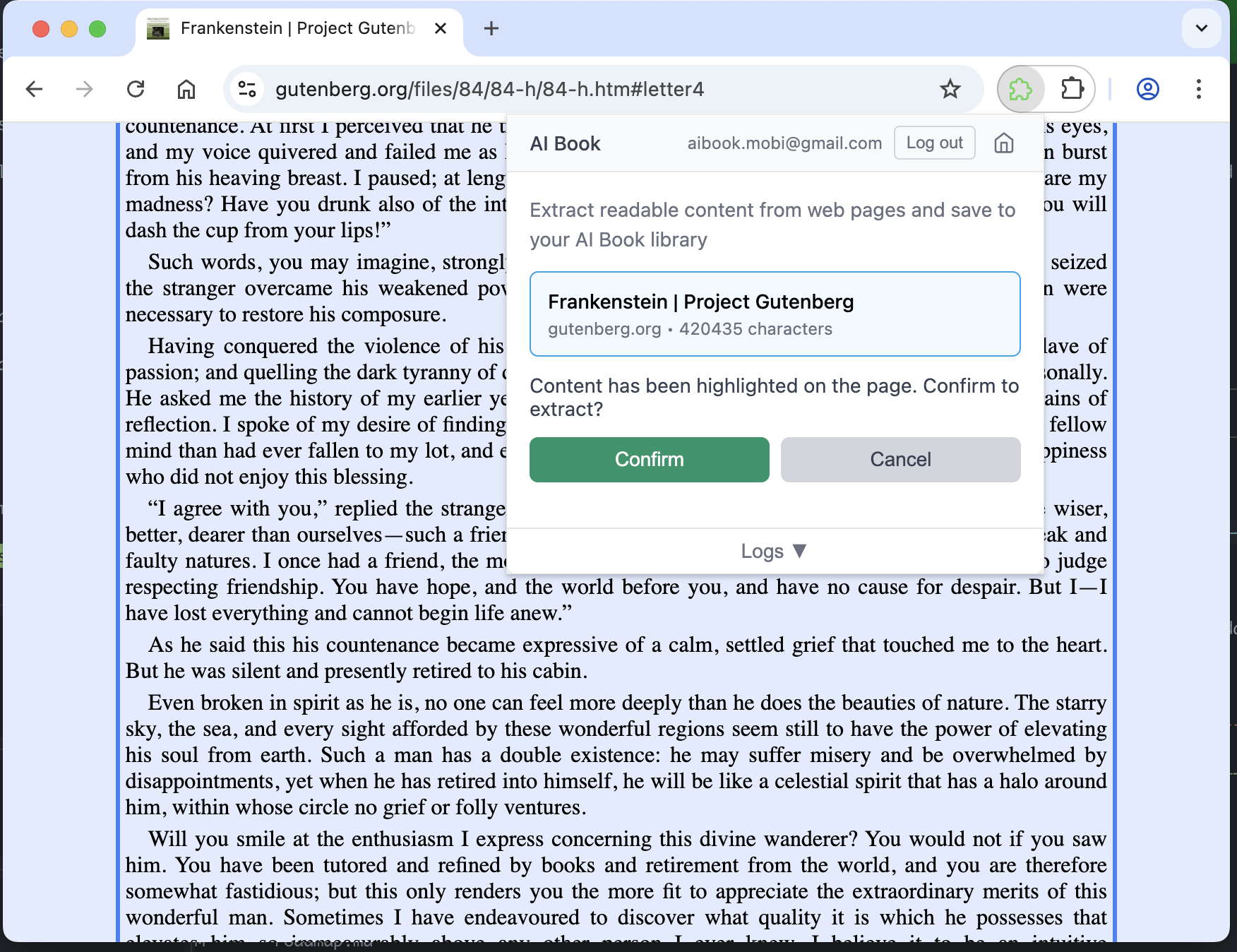
Review and confirm
The content is highlighted on the page. Review the extraction and confirm to save.
3
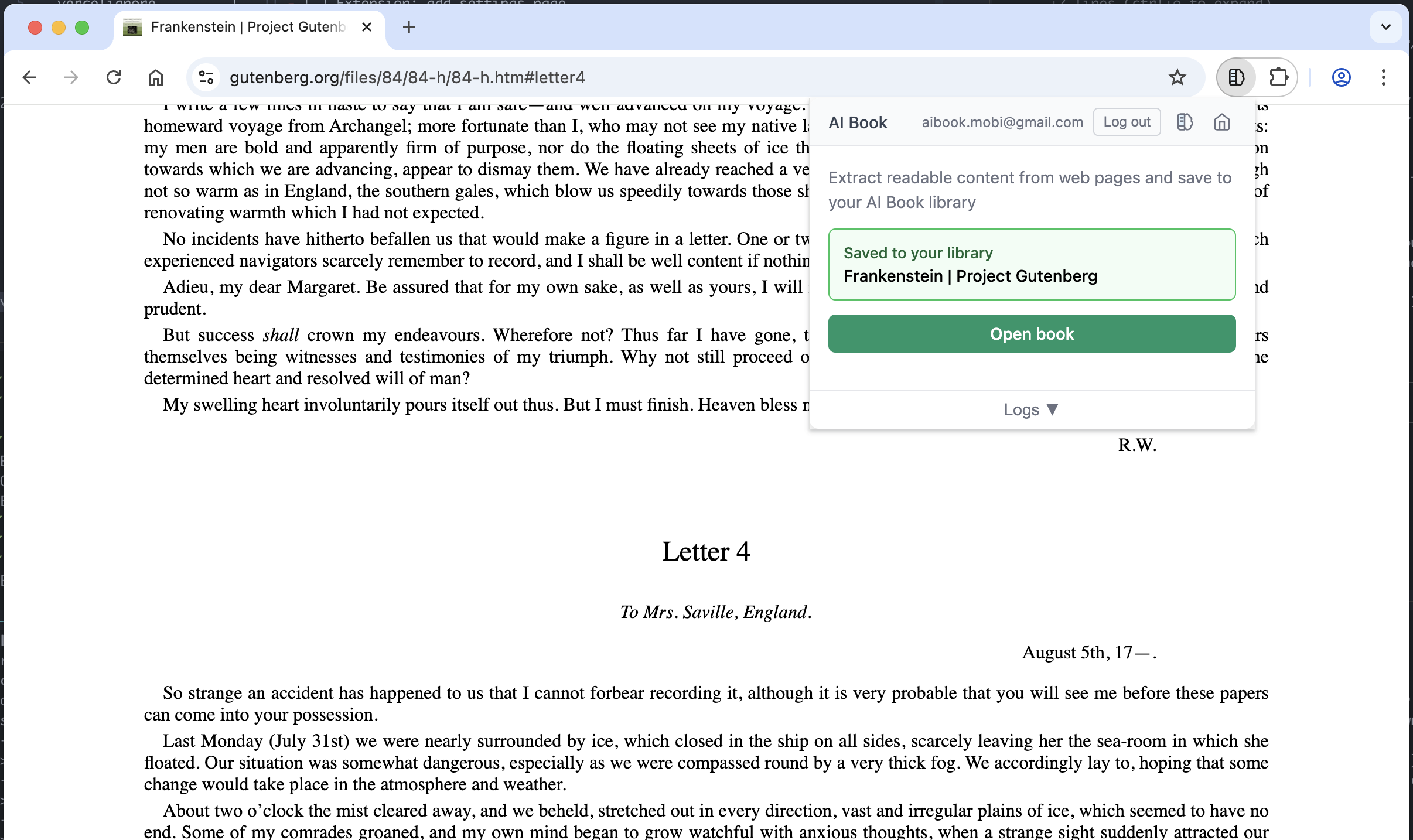
Open in Reader
Once saved, click Open book to start reading with AI-powered features.
4
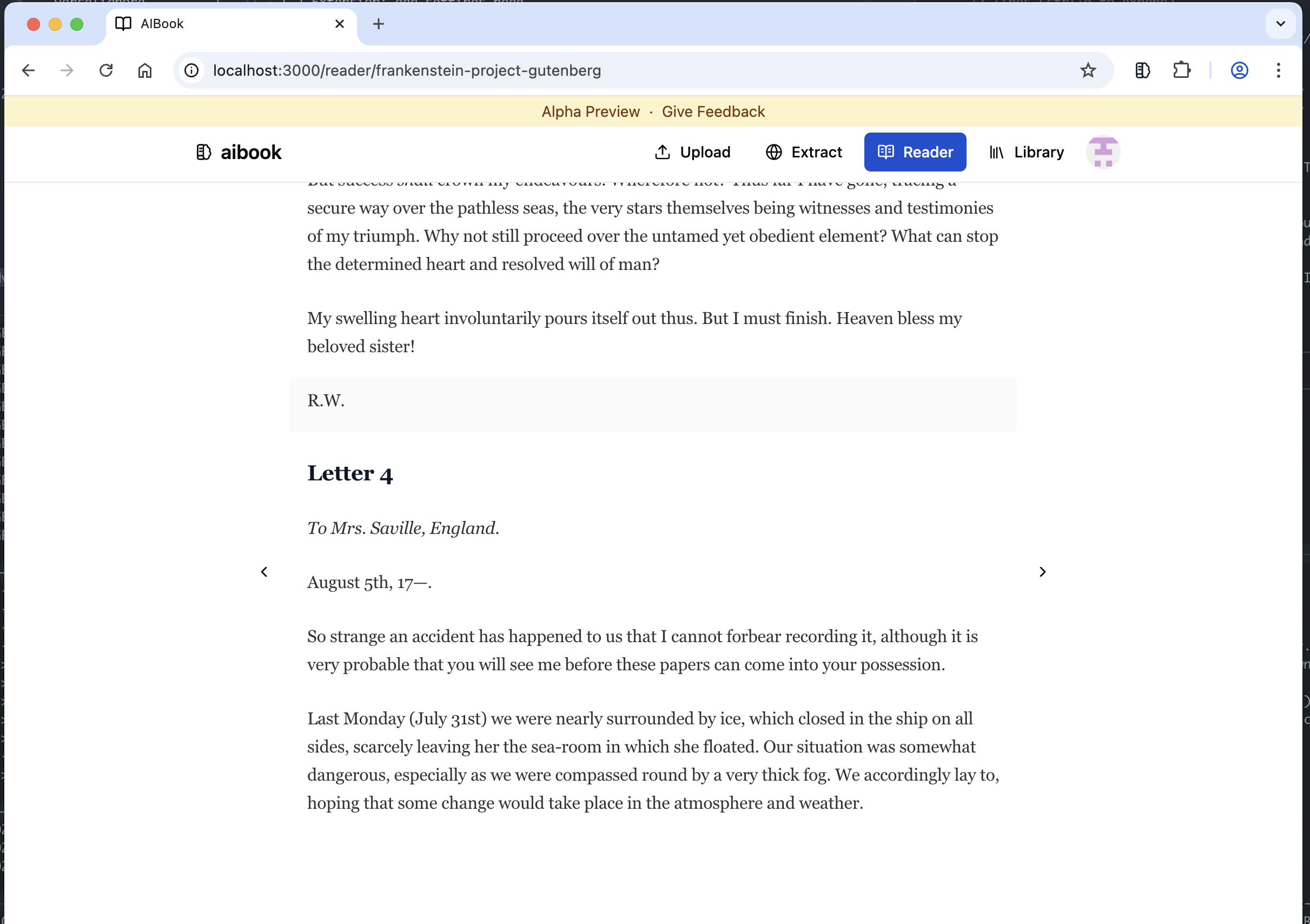
In your Library
Your saved content appears in your library, ready to read, listen, and chat anytime.
1
Click Extract content
Open the extension on any webpage and click the Extract button to analyze the page.
2
Review and confirm
The content is highlighted on the page. Review the extraction and confirm to save.
3
Open in Reader
Once saved, click Open book to start reading with AI-powered features.
4
In your Library
Your saved content appears in your library, ready to read, listen, and chat anytime.